Most file tools pick a side. Storage that cannot open anything, or an editor that cannot hold anything. Nemi does both.
Ten applications share one account, one storage plan, one search field and one share menu. A document you write, a photo you keep, a recording somebody makes in a meeting and a file a client sends you all land in the same place, and none of it has to be learned twice.
The list is deliberately unglamorous: Files, Docs, Sheets, Canvas, Forms, Calendar, Gallery, Meet, Beam and Rooms. What they share is the storage underneath, so a file never has to be exported from one and imported into the next.
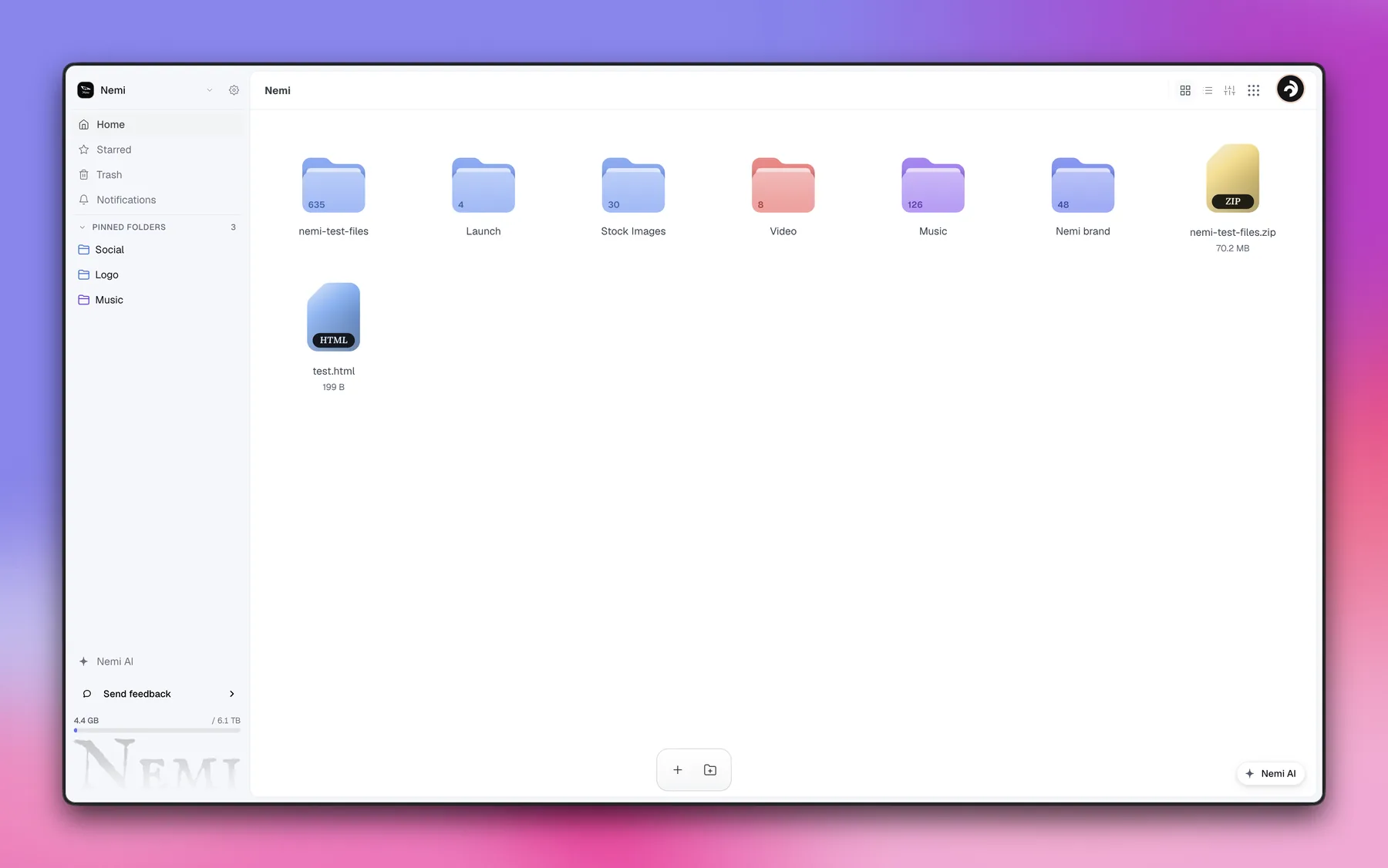
It opens on files, not on a dashboard of widgets. Folders carry their own counts, storage sits in the corner as one number against the plan, and every other app is a click away in the same shell.
Pinned folders, starred items and the trash live where they are expected to. There is no separate admin surface to go and find.
Not every app is switched on for every account yet, which is said plainly rather than hidden behind a waitlist.
Storage is where most tools stop. A file goes in, and getting it back out in a different shape means finding a second service, uploading it again, and trusting whoever happens to run it. That step is the one Nemi removes.
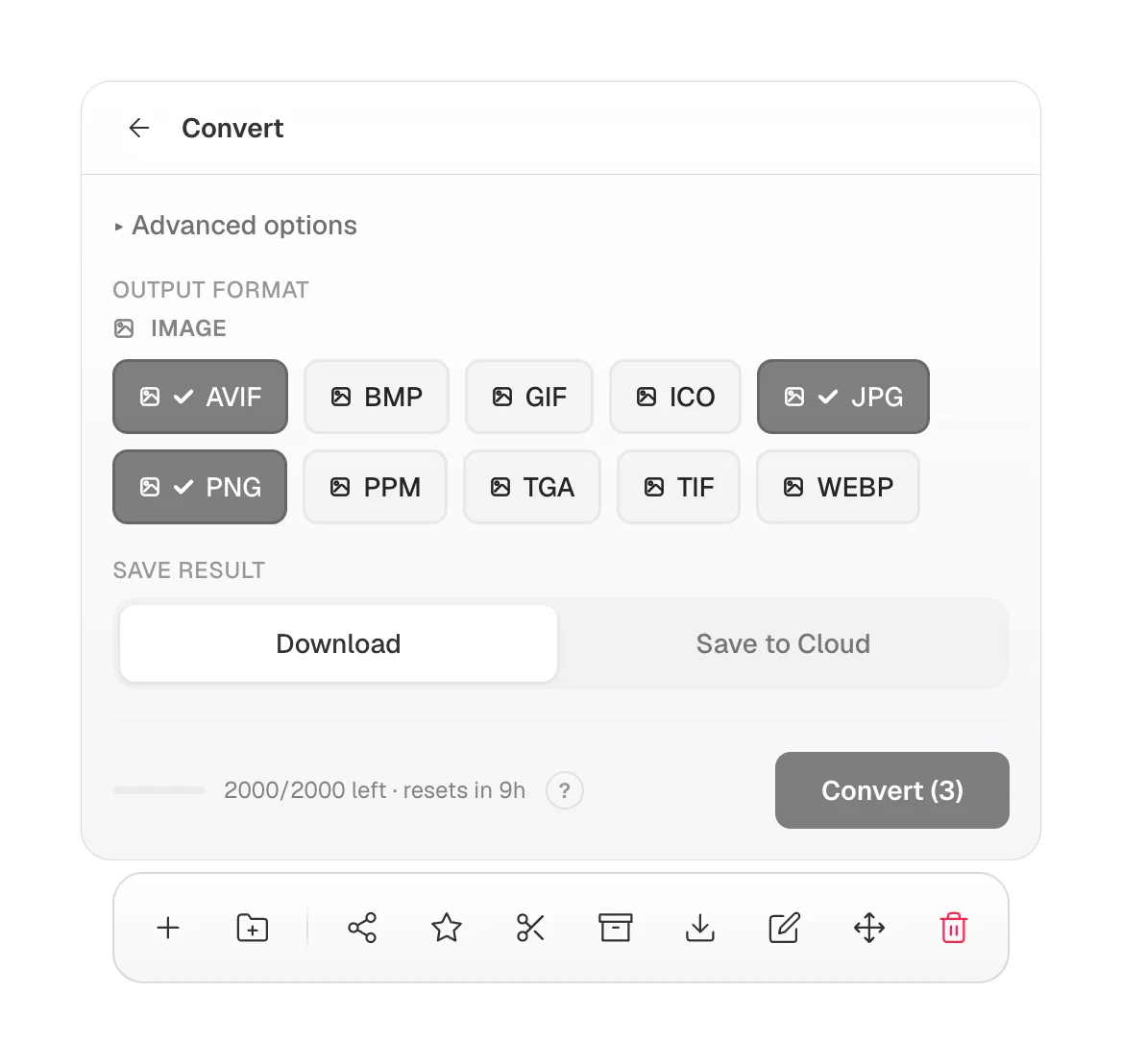
Conversion is a property of the file, not a separate product. Pick one output format or several at once, decide whether the result downloads or stays in the cloud, and the panel reports what is left of the daily allowance before anything runs.
Sharing works the same way round. A link can expire, count its views, or disappear after one look, and the file behind it never leaves the workspace it came from.
Photos are compressed and read in your own browser, and video in a call goes straight to the other browsers rather than through a server in the middle. The parts that could leak are the parts that never travel.
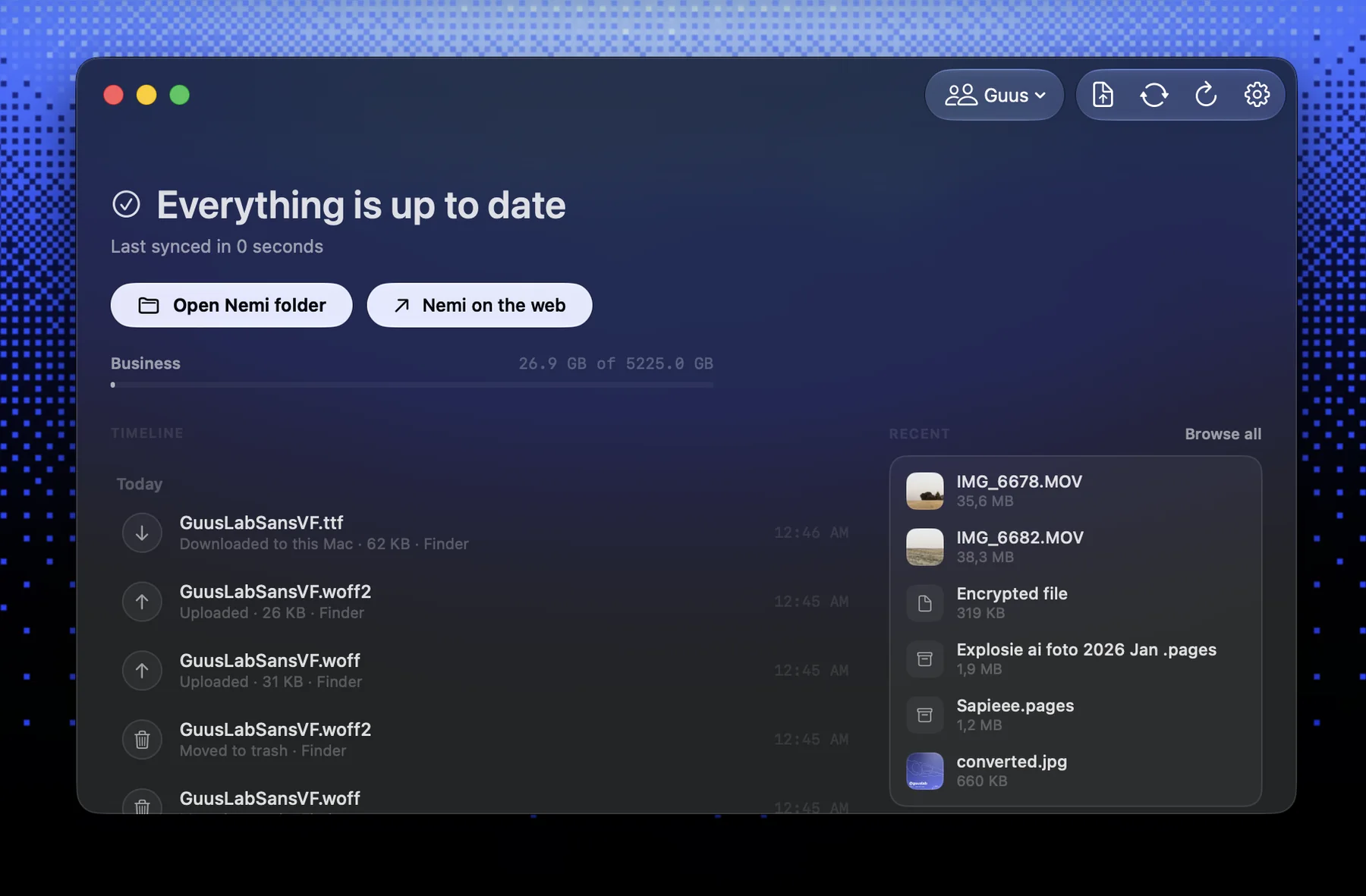
NemiLink puts the same thing in the Finder. It is a Mac app with a Finder extension, so files already on the laptop can be managed and converted where they sit, without opening a browser and without an upload step first.
The timeline reads from both directions and names the source of every change, so a file that moved in the Finder and a file that moved on the web are the same event seen from two ends.
Sync state is one line at the top rather than a badge to interpret, and recent files stay reachable without opening the workspace at all.
A client never sees Nemi. They see your logo, your colours, your domain, and a page that works on the first tap.
- Files
- Docs
- Sheets
- Canvas
- Forms
- Calendar
- Gallery
- Meet
- Beam
- Rooms
